
Comparisons
Beautiful.ai vs Gamma: AI Presentation Tool Comparison [2026]
We tested Beautiful.ai and Gamma on real slide decks. Here's how they compare on AI quality, templates, exports, and when Plus AI is the smarter choice.


Beautiful.ai vs. Gamma: AI Presentation Tool Comparison [2026]
Beautiful.ai and Gamma are two of the most well-known AI presentation tools. While they’re often considered alternatives to each other, they’re built for different jobs. Beautiful.ai focuses solely on slide decks, with a fixed catalog of pre-designed layouts that it reuses across presentations. Gamma is an AI design tool that generates presentations, documents, and websites from the same prompt-based workflow.
To see how they compare, I tested both tools on a quarterly business report, an internal update, and a sales deck. I’ll walk you through what each tool does well, where it struggles, and how the two compare side by side. I’ll also highlight when Plus AI is the better option, particularly when you’d rather create presentations directly in Google Slides or PowerPoint.
Gamma vs Beautiful.ai: How do they compare?
Here’s how Gamma and Beautiful.ai stack up across capabilities, interfaces, and pricing. I’ve also included Plus AI to show how a Google Slides- and PowerPoint-native option fits into the mix.
| Beautiful.ai | Gamma | Plus AI | |
|---|---|---|---|
| Best for | Quick decks where consistent design matters more than visual variety | High-quality AI copy and strong designs shared on the web | AI-generated decks that stay native to Google Slides and PowerPoint |
| Where you work | Beautiful.ai web app | Gamma web app | Google Slides, PowerPoint, or web app |
| Templates | 12+ themes, 300+ pre-designed Smart Slides | 25+ themes with flexible card layouts | 25+ professionally designed templates |
| AI editing | Slide-level rewrites, image regeneration | Conversational agent for full-deck edits | Rewrite, Remix, and AI Agent (in PowerPoint) |
| Image generation | 12+ image style presets | 30+ image style presets, plus custom options | Auto-matched image styles, 24+ presets |
| Export options | PPTX, PDF | PPTX, PDF, PNG | Native PPTX and Google Slides files |
| Brand controls | Custom themes and brand governance (Enterprise) | Custom themes and brand kit (Pro) | Custom branding, templates, and shared presets (Team) |
| Free plan | No (14-day trial) | Yes (400 one-time credits) | No (7-day trial) |
| Starting price | $12/user/month | $9/user/month | $10/user/month |
How easy is it to get started with Beautiful.ai and Gamma?
Beautiful.ai and Gamma both give you more than one way to start a deck, including blank canvases, file uploads, and AI generation. What differs is which inputs each tool accepts and where you do the work.
Beautiful.ai
With Beautiful.ai, you have two options to get started. You can either choose a theme (color and font) and build your presentation one slide at a time, or you can use the AI presentation maker.
The DIY option requires a ton of manual work, but the AI workflow is much faster. Enter a prompt and upload any supporting DOCX, PDF, or XLSX files.
Gamma
Gamma also gives you the option to start with a blank presentation that you can build out yourself. Or, you can paste in notes and existing content or import files and URLs to use as a basis for your deck.
Similar to Beautiful.ai, Gamma also has an AI-powered workflow that speeds up the planning process. Input a prompt, and it instantly generates an outline.
Plus AI
With Plus AI, you can start quickly with a preset prompt or by uploading a PDF, Word document, or spreadsheet. You can also input your own prompt to describe what you want to create and the voice you want to use.
While you can use the app in a web browser, you have other options. Since Plus has an add-in for PowerPoint and Google Slides, you can work directly in the tools you already use.
How does AI content generation work in Gamma and Beautiful.ai?
Both tools follow an outline-first workflow, where you review and refine the structure before generating any slides. But there are big differences in how editable that outline is and how well the AI model fills it in once you give it the green light.
Beautiful.ai
After you input a prompt or upload files, Beautiful.ai will create an outline for you to review in just a few seconds. From there, you can manually adjust the outline or chat with the AI assistant to make large-scale changes.
When you’re happy with the outline, you confirm the theme (colors and font) and image source (AI generated, stock collection, or web search). Then, you let the platform get to work generating your deck.
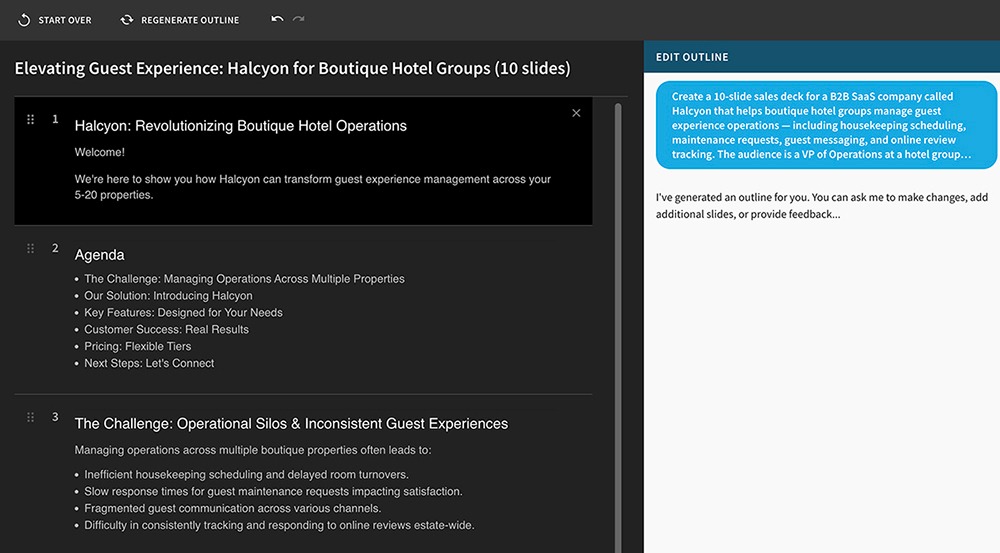
In my experience, Beautiful.ai generates both outlines and presentations really quickly. I was able to go from prompt to rough draft in under a minute.
But the quality of the copy tended to be on the lower side. In general, I found that Beautiful.ai produced minimal copy, which often meant that important takeaways were missing and slides looked empty.
Gamma
Gamma’s outline workflow is similar in that the platform takes your prompt or uploaded information and creates an outline in seconds. But the editing process is less robust.
There’s no AI assistant to chat with in the outline interface. So, your only options are to edit the outline manually or regenerate the entire thing from a prompt.
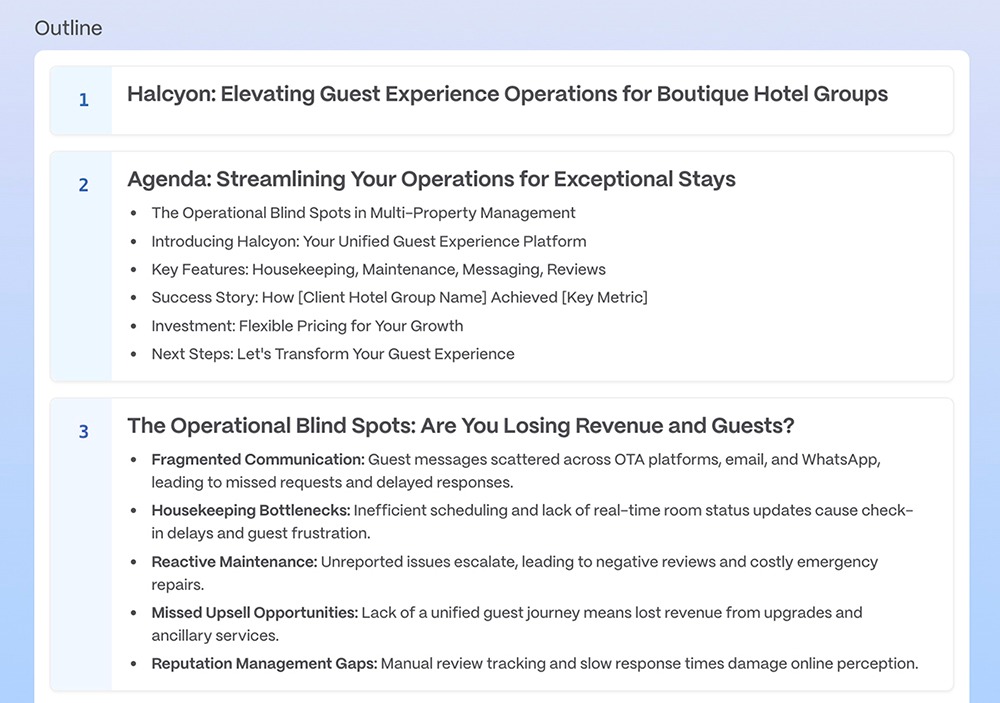
In my experience, however, Gamma outlines needed less editing overall. The platform produced detailed outlines with plenty of context and explanation.
And compared to Beautiful.ai, the quality of Gamma’s copy was much higher. Gamma showed stronger reasoning and storytelling capabilities and had a better sense of what would make a slide successful.
The platform also lets you choose how much copy to add to each slide (minimal, concise, detailed, or extensive). This way, you can generate exactly what you need for each deck.
Plus AI
Plus AI’s presentation builder outlines your deck slide by slide. It automatically orders slides and adds descriptions, but you have the option to add or change details for each slide.
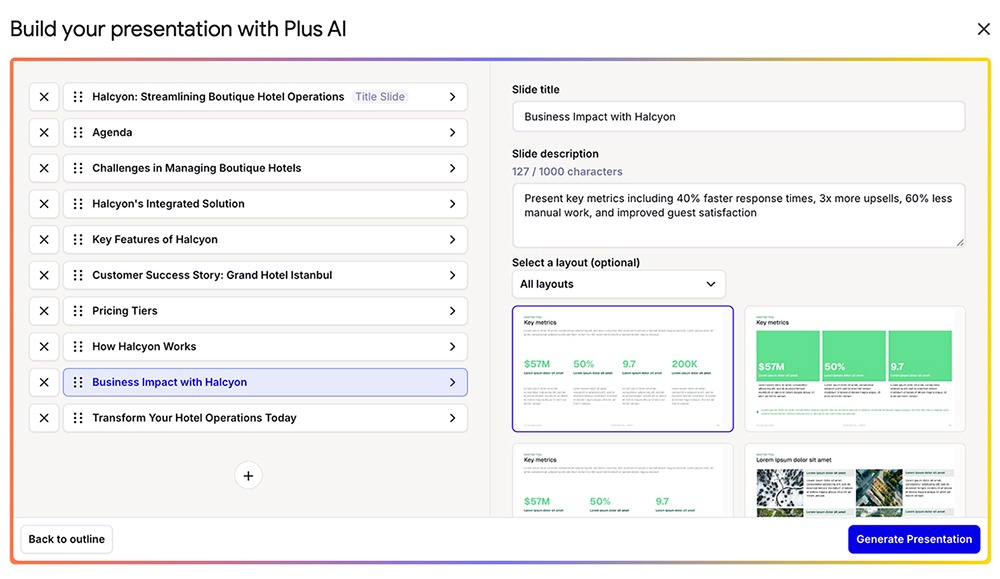
When you use Plus in PowerPoint, you can also prompt the AI Agent to adjust your outline. Just tell it what you want to change, add, or remove and let the agent handle everything.
What templates do Beautiful.ai and Gamma offer?
Technically, neither Beautiful.ai nor Gamma uses templates. Both lean on themes instead, but they take opposite approaches to how much variety you get from one deck to the next.
Beautiful.ai
Instead of templates, Beautiful.ai has themes and Smart Slides. Themes are basically a color scheme and a font and don’t include unique presentation layouts. The platform has about a dozen premade themes, and you can also create your own.
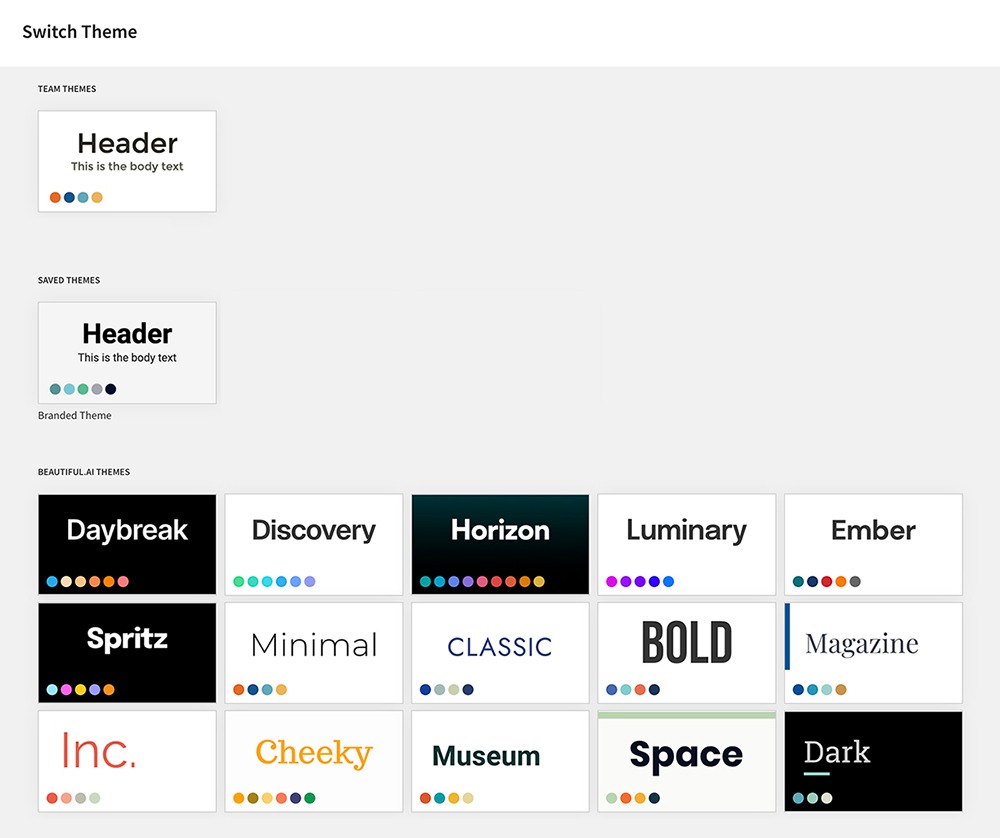
Beautiful.ai also has a library of 300+ pre-designed Smart Slides that it uses across all presentations. This is nice because it means you don’t have to invest time into tweaking slide layouts yourself. But in my experience, the designs get repetitive quickly and make all your slide decks look similar.
Gamma
Gamma has about twice as many themes. This provides a broader aesthetic range and allows for more creativity.
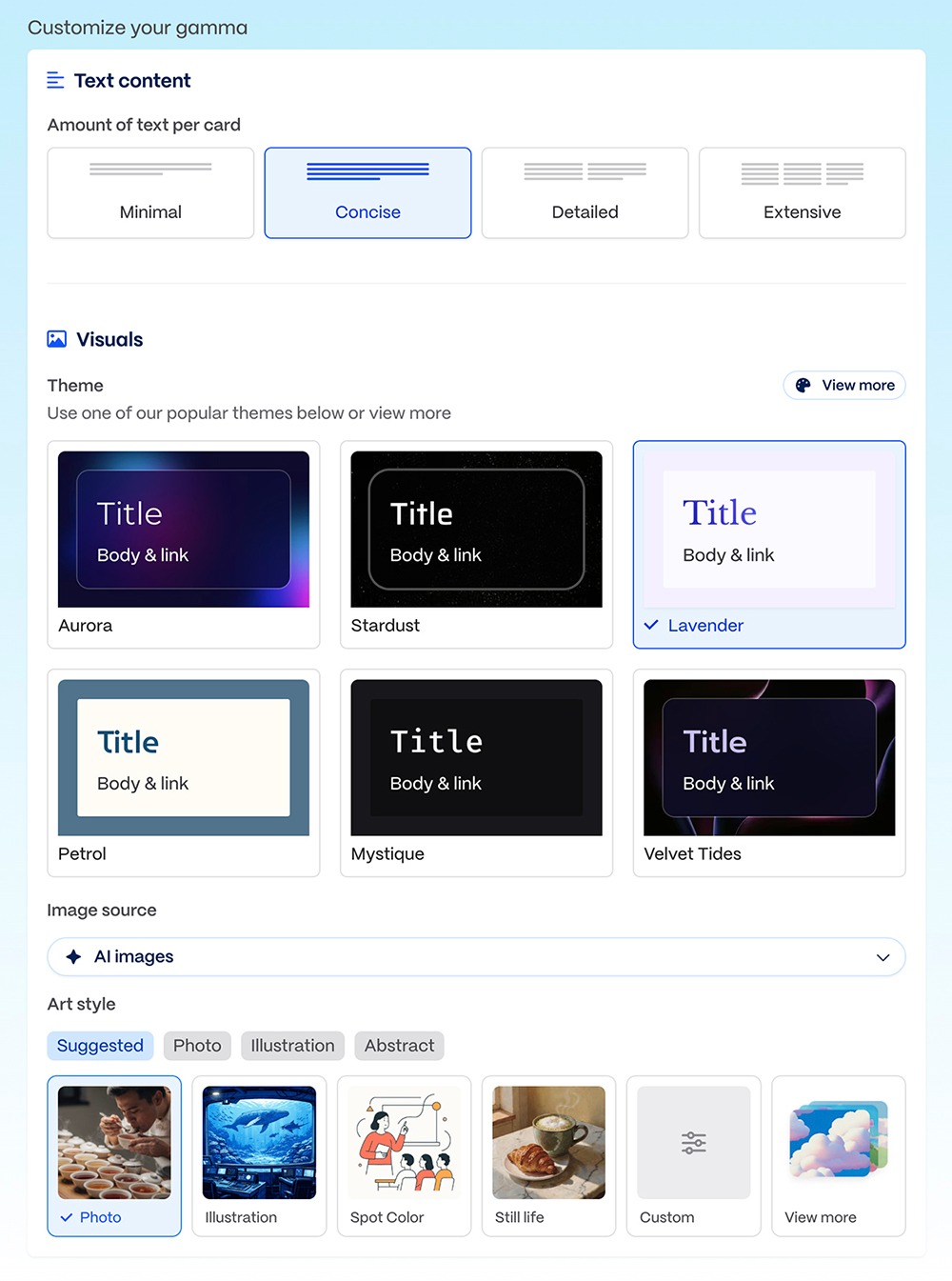
And unlike Beautiful.ai, Gamma takes a content-first approach. You won’t find endless repetition here. Instead, every slide prioritizes visuals and copy, resulting in presentations that look unique.
Plus AI
Plus AI has over two dozen templates to choose from. Each one goes beyond just fonts and colors, providing unique designs for different professional use cases.
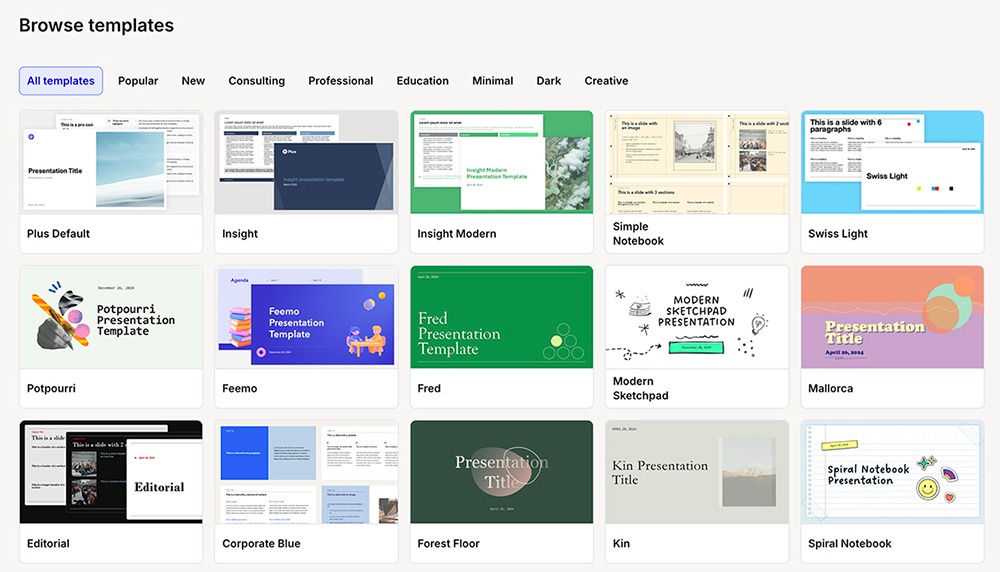
While Plus applies premade designs to your slides, you aren’t stuck with a rigid layout. In my experience, I had just enough structure to avoid decision fatigue and just enough creative freedom to make each deck my own.
How good is AI image generation in Beautiful.ai vs Gamma?
Both have built-in generative AI tools that let you set image style preferences. But overall, Gamma’s AI images tend to be higher quality.
Beautiful.ai
With Beautiful.ai, you can choose from about a dozen AI image style presets, from photographic to illustrative. While I found image quality passable, it definitely wasn’t great.
Some images, like the one in this internal fundraising deck, looked cartoonish:

And others, like the one on the title slide of this sales deck, were reasonably good quality but poorly aligned:

Gamma
Gamma offers even more image style presets, covering the spectrum from photos to illustrations to abstract. Across styles, I found Gamma’s image quality far superior.
This internal fundraising deck image looks much more professional:

And this title slide for a sales deck is a much better fit:

Plus AI
Plus AI automatically determines the right image style for each presentation. If you need to regenerate an image, you can choose from about two dozen preset styles in the editing interface. Throughout my tests, though, Plus generated strong images that needed minimal editing.
Like this fundraising deck:
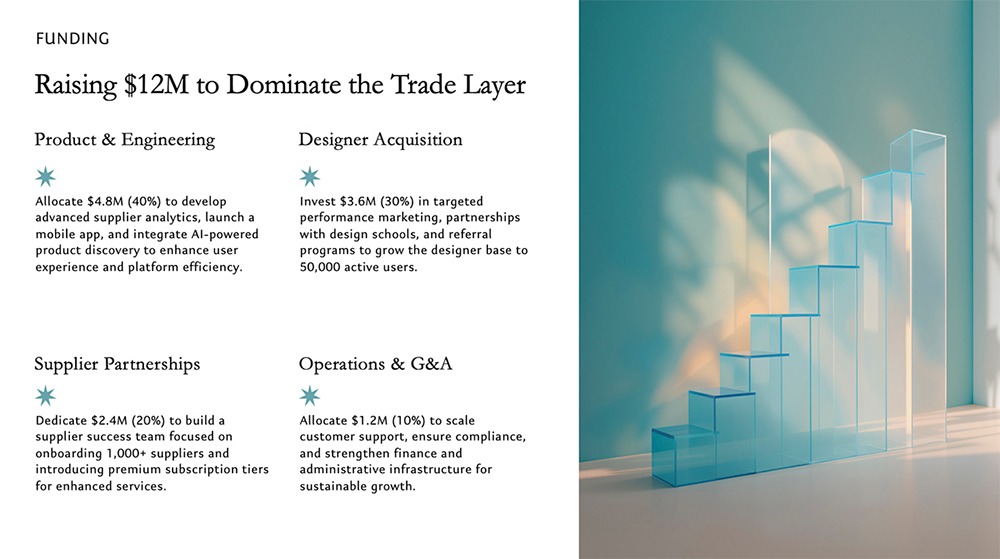
And this sales deck title slide:

How do the editing capabilities compare?
Between the two tools, Gamma’s editing capabilities are much more advanced. But Beautiful.ai presentations are much easier to edit post-export.
Beautiful.ai
One downside of Beautiful.ai is its lack of large-scale editing options. You can change the layout (to another pre-designed Smart Slide) in one click. But if you need to regenerate copy across a slide or a deck, you have to edit one text block at a time. I found this really tedious.
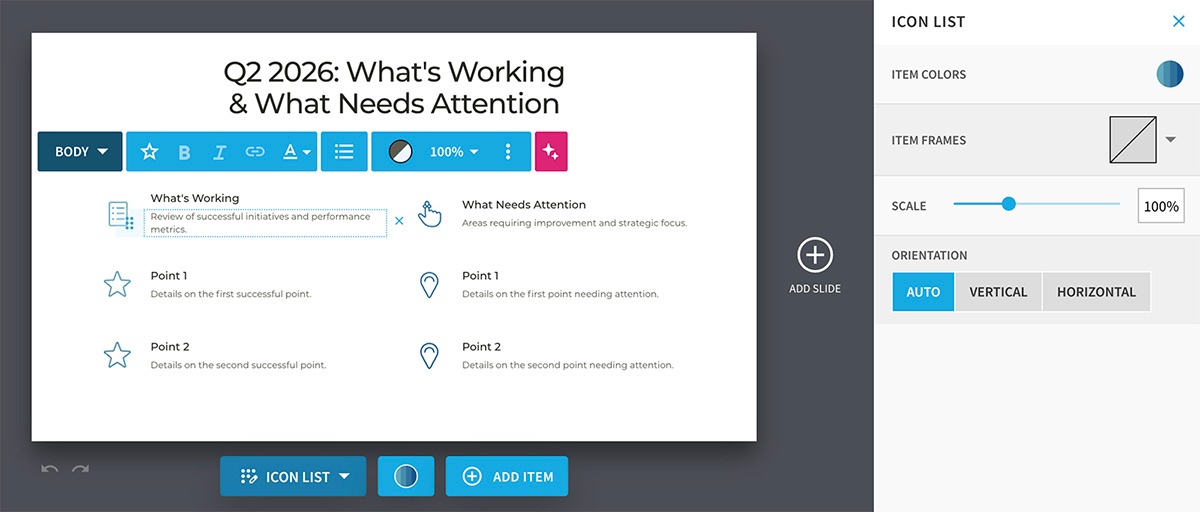
The platform does have helpful AI tools for editing, though. You can click to rewrite any slide copy or regenerate any visuals. And if you need to insert more slides, you can do so with a quick text prompt.
In my experience, most elements of Beautiful.ai presentations are editable after export. But I did run into issues trying to edit data visualizations, which get converted into images.
Gamma
Gamma makes editing simple. You can use the agent to edit copy, change styles, or add new slides using conversational prompts. The presets to improve writing or be more specific let you make small tweaks quickly.
You also have the option to edit any element manually. This includes charts, copy, images, or layouts, giving you full control over how your presentations look and sound.
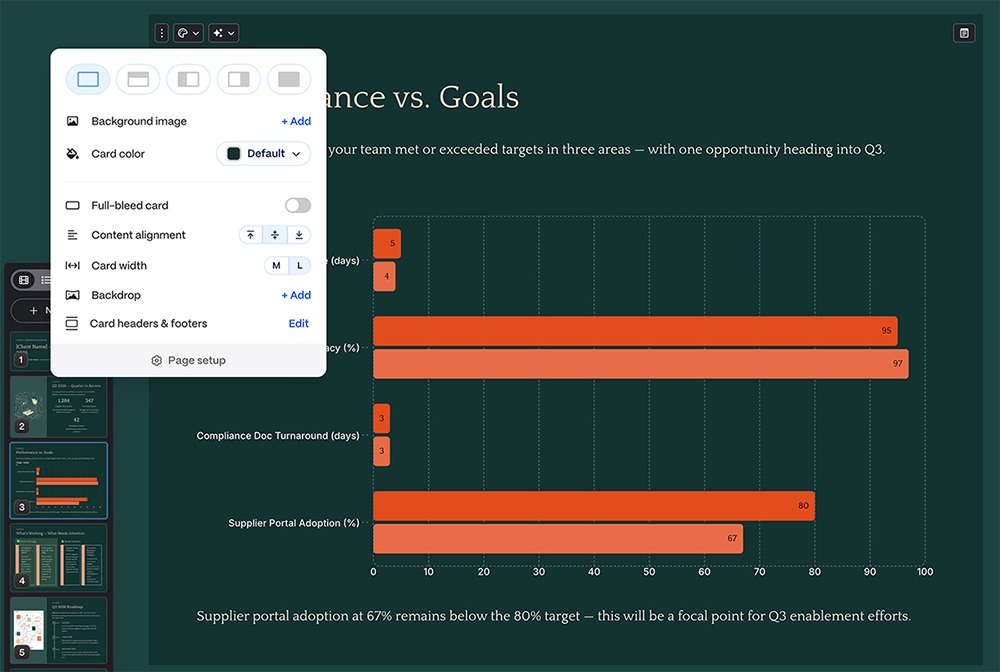
The drawback is that after export, editing in PowerPoint or Google Slides can be frustrating. By default, Gamma decks don’t have standard sizing. When I imported mine into PowerPoint, the slide elements were out of place, which meant I had to spend extra time fixing them.
Plus AI
Plus AI has several AI-assisted editing presets that make adjustments fast and easy. Rewrite regenerates copy across a slide, while Remix updates the slide’s layout. You can also regenerate any image or add new ones with a click.
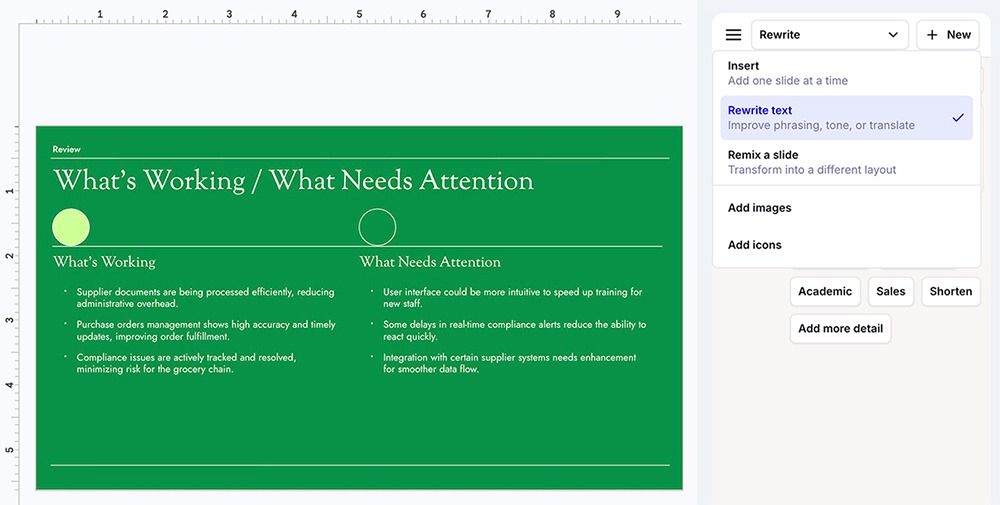
If you need to make more detailed changes, you can click to edit any element. And if you’d rather have the Plus AI Agent (available in PowerPoint) handle it for you, describe what you want to edit and let it get to work.
Plus AI slide decks are fully editable after export, whether you upload them to Google Slides or PowerPoint.
Which tool offers better customization and brand control?
The two presentation software platforms’ customization options span theme settings, individual slide design, and reusable brand assets. Each one prioritizes a different aspect of that stack.
Beautiful.ai
With Beautiful.ai, you get control over fonts and colors via the platform’s theme settings. You can manage brand governance via custom themes, and you can set image source and generative AI image style preferences.
But that’s where the customization stops. Slide designs come from Beautiful.ai’s library of pre-designed layouts. You can’t alter the structure of the slides, so you’re limited to changing themes, visuals, and copy.
Gamma
Gamma offers more flexibility across slide decks. Presentation cards don’t adhere to a rigid set of designs, so you can easily adjust visuals, layouts, and copy density.
But Gamma’s brand controls are lighter overall. While you can create a custom company theme or even assign a certain image style to preset themes, this design tool naturally applies more creativity throughout every deck. So, if you need every deck to look identical, you might struggle with Gamma.
Plus AI
Plus AI strikes a balance between preset designs and unlimited creativity. Each template offers enough structure to keep presentations looking professional and on-brand while providing enough flexibility to prevent decks from looking like carbon copies of each other.
In terms of brand controls, Plus offers custom branding, instructions, and presets. With Plus, you can also set up custom templates to reuse across presentations.
How do collaboration and team features compare?
Real-time collaboration is standard across Gamma and Beautiful.ai. But the depth of these team-focused features varies quite a bit.
Beautiful.ai
Teams using Beautiful.ai can edit together and leave feedback on decks. They can also pull from a shared template and asset library. All team features are gated behind the Teams plan, which starts at $40/month per user (billed annually).
Gamma
With Gamma, teams get real-time co-editing capabilities and custom themes for better brand consistency. They also get shared folders to keep design projects where everyone can access them. Like Beautiful.ai, Gamma gates collaborative features behind the Team ($20/month per user, billed annually) and Business ($40/month per user, billed annually) plans.
Plus AI
With Plus AI, teams work from a shared library. Everyone can collaborate on presentations in real time and add comments to keep work moving forward.
Teams can also set up custom branding and create shared prompts and context. This way, everyone works from a shared knowledge base, keeping presentations on brand.
While the Pro plan ($20/month per user, billed annually) allows unlimited team members, collaborative features are available with the Team plan ($30/month per user, billed annually).
How do you export presentations from Gamma and Beautiful.ai?
Both Beautiful.ai and Gamma start to show their limits when it’s time to export presentations. Their exports can be especially problematic if you need to edit your deck in another app.
Beautiful.ai
Beautiful.ai provides PPTX and PDF exports. But in some cases, slide elements aren’t editable. For example, I exported a PPTX file and uploaded it to PowerPoint, only to find that the chart on one of the slides had been converted to an image file that I couldn’t change.
Gamma
Gamma also lets you export decks to PDF, PNG, or PPTX. There’s a major drawback, though. PDF and PPTX exports don’t always reflect the correct fonts or color gradients. So, when you move presentations out of Gamma, they might lose their luster.
With Gamma, your best bet is to present or share directly from the app. That way, your presentations retain the look you want.
Plus AI
When you create slide decks with Plus AI, you can export fully editable PPTX files. But when you use Plus inside Google Slides or PowerPoint, you may not need to juggle exports at all. Instead, you can share or present finished decks without leaving the Google Workspace or Microsoft 365 ecosystem.
Beautiful.ai vs Gamma pricing comparison
Here’s how the plans compare for individuals, power users, and teams. All prices below reflect annual billing, ranging from Gamma’s free tier to Plus AI’s Max plan.
| Plan tier | Beautiful.ai | Gamma | Plus AI |
|---|---|---|---|
| Free | None (14-day trial only) | $0 for 400 one-time AI credits, Gamma watermark | None (7-day trial only) |
| Entry / individual | Pro: $12/user/month for unlimited AI generation, Smart Slides, custom branding | Plus: $9/user/month for no watermark, 1,000 monthly credits | Basic: $10/user/month for AI presentations in Google Slides and PowerPoint, 1,500 monthly AI Agent credits |
| Mid-tier individual | n/a | Pro: $18/user/month for premium AI image models, custom fonts and branding, custom domains, analytics | Pro: $20/user/month for 3,000 monthly AI Agent credits, document uploads, AI image generation, unlimited team members |
| Power user | n/a | Ultra: $90/user/month for the most advanced AI models, 75-card decks, 20,000 credits | Max: $200/user/month for unlimited AI Agent usage, priority support |
| Team | Team: $40/user/month (2–20 seats) for co-editing, shared libraries, brand themes, version control, analytics | Team: $20/seat/month (minimum 2 seats) for workspace themes, shared folders, admin controls, 6,000 credits/seat | Team: $30/user/month for team-wide branding and templates, shared preset library, 6,000 monthly AI Agent credits |
| Business / Enterprise | Enterprise: Custom pricing for SSO, SCIM, audit logs, brand guardrails, dedicated onboarding | Business: $40/seat/month (minimum 10 seats) for SSO, SOC 2 Type II | Enterprise: Custom pricing for integrated asset libraries, SSO, white-glove onboarding |
Should you choose Beautiful.ai, Gamma, or Plus AI?
The right choice depends on how and where your team works and how much creative control you need over the final deck.
- Choose Beautiful.ai if you want structured slides with strong brand governance. Beautiful.ai works best for teams that prioritize consistency over creativity. Its Smart Slides keep every deck looking similar, which is a tradeoff that makes sense when brand control is more important than visual variety.
- Choose Gamma if you prioritize flexible formats, and web-native sharing. Gamma is the right fit if you want quick design generation, with distinct looks for every deck. It’s best if you’re comfortable sharing decks via the web rather than exporting them.
- Choose Plus AI if you want AI presentation features without leaving Google Slides or PowerPoint. Plus AI is the best option for teams that already build presentations in Google Slides or PowerPoint and don’t want to switch platforms. You get AI generation, editing, and brand controls in the apps you use every day, with native files that don’t need to be exported or cleaned up afterward.
Frequently asked questions about Beautiful.ai and Gamma
Can Gamma export to PowerPoint?
Yes. Gamma supports PPTX exports. But Gamma’s card-based format doesn’t always translate cleanly to PowerPoint slides, so you may have to clean them up first. Since the files aren’t fully editable, making adjustments to PowerPoint exports isn’t always easy.
Does Beautiful.ai have a free plan?
No, Beautiful.ai doesn’t have a free plan. The platform does have a 14-day free trial, though.
Which is better for team presentations, Beautiful.ai or Gamma?
The best tool depends on how your team works. Beautiful.ai is the stronger choice if you need consistent presentation designs and quick deck generation. Gamma is better if your team prioritizes creativity and web-based sharing.
Can you use Beautiful.ai or Gamma with Google Slides?
No, you can’t use Beautiful.ai or Gamma directly in Google Slides. Neither tool integrates with Google Slides as a native add-on.
Both can export presentations as PowerPoint files, which you can then import into Google Slides. But this adds extra steps and often compromises formatting. If you want to create AI presentations directly inside Google Slides, Plus AI is the better fit.
Is Gamma free to use?
Yes, Gamma offers a free plan with 400 one-time AI credits. This is enough to generate roughly 10 presentations. The free plan includes basic AI generation and PDF export, but every presentation has a watermark.